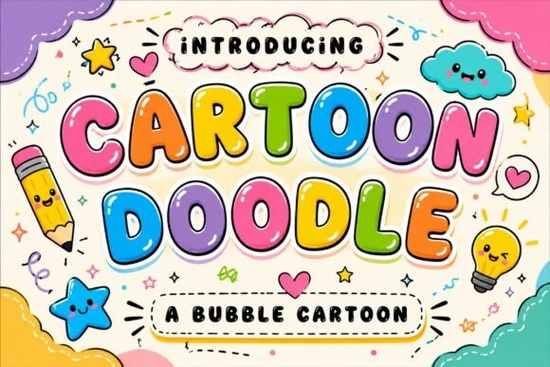
If you're looking for a friendly, hand-drawn typeface that brings instant warmth and playfulness to your designs, the Cartoon Doodle Font is a solid choice. It’s not overly complex or fussy just cheerful, rounded letters with bold outlines that feel like they were sketched by a happy kid (or a very talented illustrator). Whether you’re designing birthday invites for a five-year-old’s dinosaur party or making classroom posters that actually get noticed, this font adds personality without demanding attention.
What kind of projects does Cartoon Doodle work best for?
This font shines where energy and approachability matter most. Think: stickers with smiling animals, YouTube thumbnails for kids’ content, printable school worksheets, toy packaging labels, or social media posts for small businesses selling handmade children’s goods. Because it’s a display font meaning it’s designed for headlines and short phrases, not long paragraphs it pairs well with simpler sans-serif or serif fonts for body text. You’ll want to use it for words like “BOO!” “YAY!” “BIRTHDAY!”, or “LEARN & PLAY” anything that benefits from a burst of visual joy.
How does it compare to other playful display fonts?
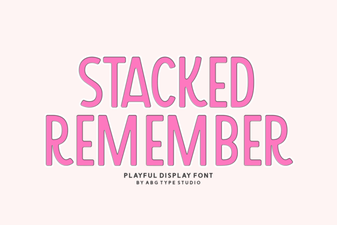
While Twinkle Candy Font leans into glittery sweetness and pastel charm, Cartoon Doodle feels more grounded in classic comic book energy think thick outlines and bouncy letterforms. If you’ve used Ligra Font, you’ll notice Cartoon Doodle has less geometric precision and more organic wiggle. Compared to Groovy Style Font, it’s less retro and more universally kid-friendly. And unlike Stacked Remember Font, which stacks letters vertically for impact, Cartoon Doodle keeps things horizontal and readable at a glance great for quick-scrolling social feeds.
Is it easy to use for beginners?
Yes especially if you’re working in Canva, Adobe Express, or even basic design tools like Cricut Design Space. The font includes standard uppercase and lowercase letters, numbers, and common punctuation. No ligatures or alternate glyphs to learn. Just install it, type, and adjust size and spacing. That said, because it’s bold and bubbly, it can look crowded if you set it too tightly. A little extra letter-spacing (tracking) often helps especially for longer words or all-caps lines. Try 50–100 units in most design apps to keep things airy and legible.
Where do crafters and small businesses actually use it?
- Print-on-demand sellers: Use it on mugs, tote bags, or kids’ t-shirts especially for niches like homeschooling, early learning, or toddler development.
- Educators and homeschoolers: Create flashcards, reward charts, or themed unit headers (e.g., “Ocean Week!” or “Dino Math”).
- Crafters: Cut vinyl decals for nursery walls or laser-cut wooden signs with phrases like “Snack Time!” or “Adventure Awaits!”.
- Social media creators: Build consistent branding across Instagram stories or Pinterest pins pair it with bright, flat-color backgrounds for maximum readability.
One thing to keep in mind: because of its strong cartoon character, it doesn’t blend quietly into professional or minimalist layouts. That’s not a flaw it’s intentional. If you need something subtle or elegant, look elsewhere. But if your goal is to make someone smile before they even read the words, Bold Limited Distressed Font offers contrast for edgier themes, while Cartoon Doodle stays reliably sweet and sincere.
A few practical tips before you download
Check the license first Creative Fabrica’s standard commercial license covers most small business uses, including POD, but always confirm if you plan to resell editable templates or use it in client work. Also, preview how it looks at different sizes: it reads beautifully at 48pt+ on posters or thumbnails, but may lose clarity below 24pt in print. And remember pairing matters. Try setting Cartoon Doodle headlines over a clean, neutral font like Montserrat or Open Sans for balance.
Before using Cartoon Doodle Font, ask yourself:
- Is the message short and high-impact? (Best for titles, not paragraphs.)
- Does my audience respond well to playful, non-formal visuals?
- Have I tested it on both light and dark backgrounds? (Bold outlines help with contrast.)
- Did I check the included file formats? (Most versions include OTF and TTF both widely supported.)
 Magic Bright Font: Download & Creative Usage Guide
 The Stacked Remember Font: Design & Implementation Guide
 Design with Aaksaraan Valeriana Font
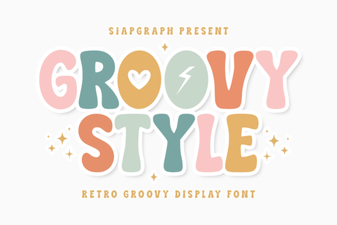 Groovy Fonts for Creative Design Projects
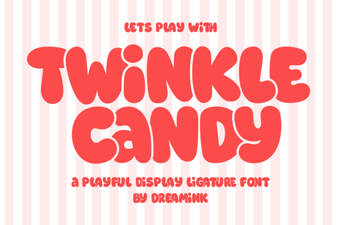 Twinkle Candy Font Download & Creative Uses
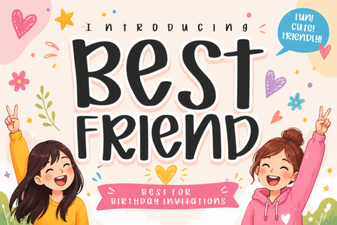 Best Friend Font: Design Ideas & Creative Uses