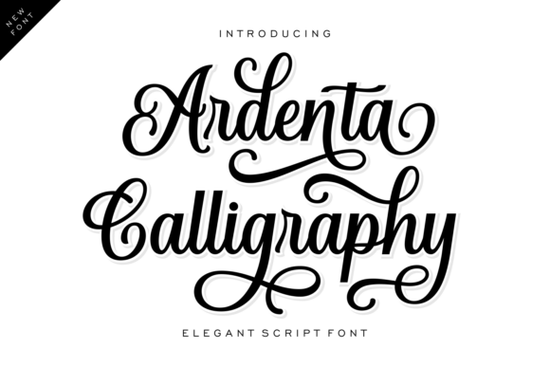
If you're looking for a script font that feels both elegant and approachable something that works as well on a hand-lettered wedding invite as it does on a minimalist skincare label you’ll want to try Ardenta Calligraphy Font. It’s not overly ornate, but it’s never plain either. The strokes flow naturally, with gentle loops and elongated swashes that give it presence without shouting. Designed with real-world use in mind, it balances readability and character especially at medium to large sizes.
When does Ardenta Calligraphy work best?
This font shines where personality and polish matter most: boutique branding, small-batch product packaging, and custom stationery. Think of a floral studio launching a new seasonal collection the soft curves and upright stance of Ardenta lend warmth and professionalism without feeling dated. Or imagine a small cosmetic brand building its first logo: the clean baseline keeps things legible, while the terminal swashes add just enough distinction to stand out on a crowded shelf or Instagram feed.
It’s also a strong choice for print-on-demand creators who design greeting cards, wall art, or digital planners. Because Ardenta includes OpenType features like alternate characters and ligatures, you can easily swap in different swash endings or connect letters more fluidly no manual tweaking needed. That saves time when producing multiple variations for Etsy or Creative Market listings.
How does it compare to other popular script fonts?
Ardenta sits comfortably between highly decorative calligraphy fonts and ultra-simplified modern scripts. Unlike More Gelato Please Font, which leans into playful bounce and casual energy, Ardenta maintains a quieter confidence. It’s more grounded ideal if your brand voice is refined rather than whimsical.
Compared to Magic Writing Font, Ardenta avoids dramatic contrast in stroke weight. Magic Writing has stronger thick-thin variation and a looser, handwritten feel great for chalkboard-style signage or playful social posts. Ardenta, by contrast, offers consistency across caps and lowercase, making it easier to pair with clean sans-serif companions like Montserrat or Inter.
What file formats and features come with it?
You’ll get OTF, TTF, and WOFF files so it works in desktop apps (Adobe Illustrator, Affinity Designer), web projects, and even some Cricut Design Space workflows. The font includes standard Latin characters plus accented letters used across Western European languages, which helps if you’re designing for bilingual clients or international markets.
There are also stylistic alternates built in: extra-long swashes for headlines, subtle loop variations for lowercase “e” and “a”, and optional connecting glyphs that help smooth transitions between letters. These aren’t hidden deep in glyph panels they’re accessible through basic OpenType settings in most modern design tools.
Where should you avoid using Ardenta?
Small body text like fine print on a business card or paragraph copy in a brochure isn’t its strength. At under 14pt, the swashes start to blur together, and spacing tightens in ways that reduce clarity. Save it for headings, logos, quotes, and short phrases where it can breathe.
Also, if your project needs heavy multilingual support (Cyrillic, Greek, Vietnamese diacritics), check the character map first. Ardenta covers the basics well, but it’s not built for extensive global typography needs.
Realistic pairing ideas
For layout harmony, try these combos:
- With a neutral sans-serif: Use Ardenta for your logo or headline, then pair with a light or regular weight of Inter or Lato for supporting text. The contrast feels intentional not jarring.
- On textured backgrounds: Ardenta holds up well over subtle paper grain or watercolor scans. Its upright posture prevents visual “slanting” that sometimes happens with very slanted scripts on uneven surfaces.
- In layered designs: Try setting the same phrase twice once in Ardenta, once in a thin monoline sans and offset them slightly for a soft shadow effect. Works beautifully on invitation suites or social banners.
If you’re already working with script fonts like More Gelato Please or Magic Writing, Ardenta adds a distinct, more restrained option to your toolkit especially when clients ask for “luxury but not fussy” or “handmade but still professional.”
Before downloading: Preview how Ardenta renders in your intended software. Some older versions of Canva or Silhouette Studio may not activate OpenType features automatically check documentation or test with a few words first. And always proofread at final size: those graceful swashes look lovely on screen, but they need room to land cleanly in print.
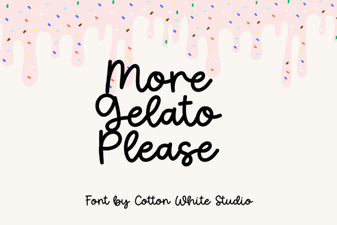 The More Gelato Please Font: a Tasteful Design Resource
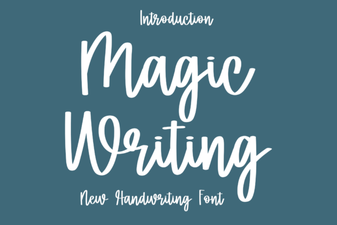 Creative Typography Magic Font Ideas
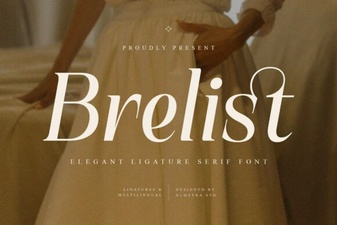 Brelist Font: Elegant Design for Modern Projects
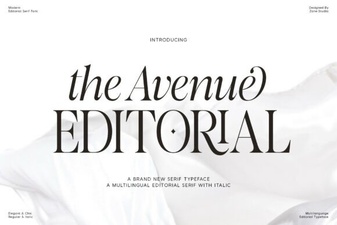 Designing with the Avenue Editorial Font
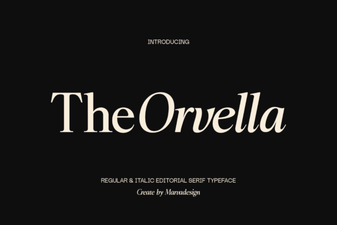 Orvella Font: Creative Designs & Typography Ideas
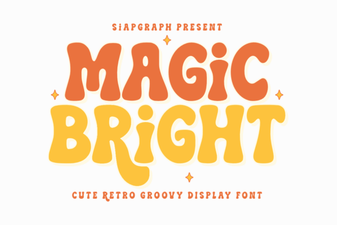 Magic Bright Font: Download & Creative Usage Guide