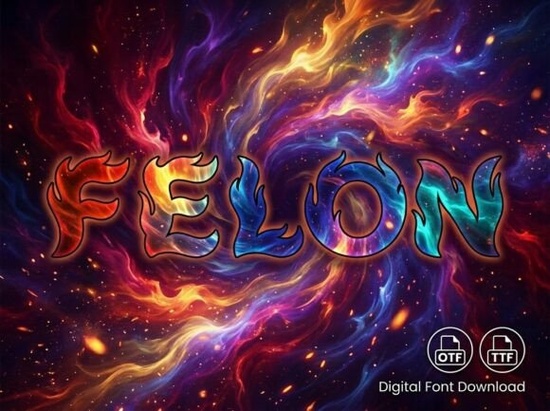
If you're looking for a bold, eye-catching display font that stands out on packaging, logos, or social media graphics and you don’t need lowercase letters the Felon Font is worth your attention. It’s not built for body text or long paragraphs. Instead, it’s designed for moments where a single word or short phrase needs to command focus: a boutique product label, an event poster headline, or a hand-lettered-style logo for a small business. Its artistic details sharp angles, subtle asymmetry, and confident weight give it presence without feeling dated or overly trendy.
Who actually uses Felon Font and why?
This isn’t a font you’d pick for a corporate annual report or a multi-page brochure. It’s made for creators who work in visual-first spaces: print-on-demand sellers designing t-shirts or mugs, crafters making custom vinyl decals or greeting cards, and small business owners building their own brand identity without hiring a designer. Because it’s uppercase-only, it works best when you’re styling short, high-impact text think “SOLD OUT”, “EST. 2024”, or a shop name like “WILDFIRE GOODS”.
Its OpenType (OTF) and TrueType (TTF) file formats mean it installs easily on both Mac and Windows, and plays well with tools like Adobe Illustrator, Canva (via upload), Cricut Design Space, and Silhouette Studio. You won’t run into rendering issues on most platforms though always test how it appears at smaller sizes before finalizing print files.
How does it compare to other decorative fonts?
Felon sits comfortably between refined and expressive less ornate than script-based decorative fonts like Marmaid Font, but more distinctive than standard sans-serif display fonts. Where Marmaid leans into fluid, hand-drawn elegance, Felon delivers structured confidence. If you’ve used fonts like Felon Font alongside others in your collection, you’ll notice how well it holds its own in layered layouts especially over textured backgrounds or beside minimalist photography.
It’s also more versatile than many all-caps display fonts because of its clean spacing and consistent stroke contrast. That means fewer manual kerning adjustments when setting headlines in Illustrator or InDesign. And unlike some display fonts that look great on screen but break down when cut with a vinyl plotter, Felon’s outlines are smooth and well-hinted a practical detail crafters appreciate.
What can and can’t you do with it?
You can:
- Use it for t-shirt prints, tote bags, and enamel pin designs
- Apply it to product packaging especially for artisanal food, candles, or skincare lines
- Build simple logos for Instagram bios, Etsy shop banners, or local event flyers
- Pair it with a neutral sans-serif (like Montserrat or Inter) for balanced contrast
You shouldn’t:
- Try to use it for paragraphs, captions, or anything requiring lowercase letters it simply doesn’t have them
- Scale it too small (under 24pt in print, or under 36px online) fine details may blur or disappear
- Assume it includes numbers, punctuation, or multilingual characters unless confirmed in the product listing check the character map first
Where to find it and what’s included
Felon Font is available through Creative Fabrica as a single purchase (no subscription required). When you download it, you’ll get two files: one OTF and one TTF so whether you’re using professional design software or simpler tools like Canva or PicMonkey, you’ll have the right format. There’s no extra license fee for commercial use, which makes it a solid choice if you’re selling physical or digital products.
If you’re already browsing decorative fonts on Creative Fabrica, you might also like Marmaid Font for softer, flowing projects or explore Felons Font page directly if you want to see real user previews, alternate glyphs, and licensing details before downloading.
One quick tip before purchasing: open the preview images in the listing and zoom in. Look closely at how letters like “A”, “M”, and “R” sit next to each other that’s where you’ll spot whether the spacing feels natural for your intended use. Also, double-check the “Character Set” section to confirm which symbols and numerals are included.
Before you download:
- ✅ Confirm your project only needs uppercase letters
- ✅ Test the font at your intended size in your actual design tool
- ✅ Review the license terms especially if you’re using it for client work or POD platforms
- ✅ Save a backup copy of the files Creative Fabrica lets you re-download anytime, but having a local copy avoids delays
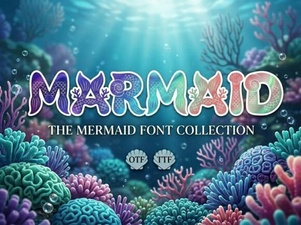 Unlock Design Magic with the Marmaid Font
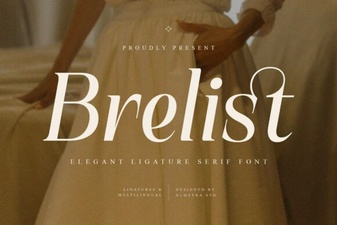 Brelist Font: Elegant Design for Modern Projects
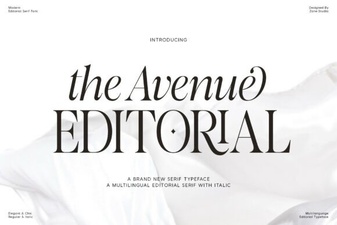 Designing with the Avenue Editorial Font
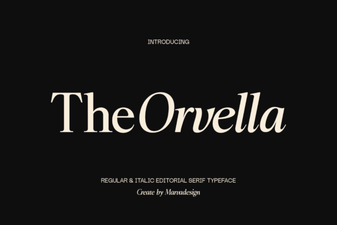 Orvella Font: Creative Designs & Typography Ideas
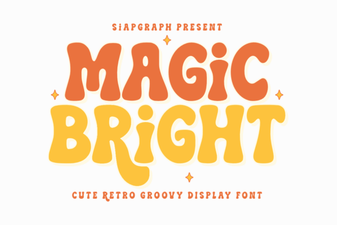 Magic Bright Font: Download & Creative Usage Guide
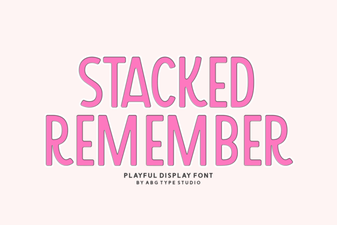 The Stacked Remember Font: Design & Implementation Guide