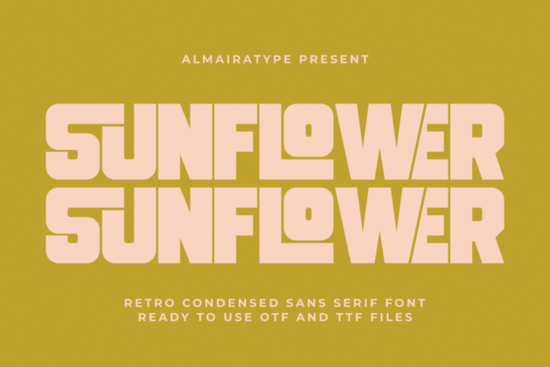
If you're looking for a bold, retro-inspired sans serif that works just as well on a hand-printed tote bag as it does in a social media ad, the Sunflower Font is worth your attention. It’s not just another vintage-style typeface it’s carefully built with tight spacing, clean vector outlines, and subtle geometric quirks that give it character without sacrificing readability. Whether you’re designing for craft projects, apparel, or small business branding, this font fits naturally into real-world workflows especially if you use tools like Cricut or Silhouette.
What makes Sunflower different from other retro fonts?
Many retro fonts lean too hard into 70s clichés think exaggerated curves, uneven stroke weights, or overly distressed textures. Sunflower avoids those pitfalls. Its condensed structure gives it presence at small sizes (great for tags or product labels), while its interlocking contours add visual interest without clutter. Unlike some display fonts that fall apart when scaled down or converted to cut files, Sunflower stays crisp and legible across formats from screen to vinyl to embroidery digitizing software.
It’s also designed with technical compatibility in mind. The outlines are fully vector-based and optimized for cutting machines, so you’ll spend less time fixing nodes or adjusting kerning before sending a job to your Cricut Explore or Silhouette Cameo. That means fewer failed weeding attempts and cleaner transfers onto mugs, stickers, or iron-on transfers.
Who uses Sunflower and where does it work best?
Small business owners and POD sellers often reach for Sunflower when launching new collections. It’s especially effective for:
- T-shirt designs with short, punchy slogans or brand names
- Custom packaging labels for candles, soap, or coffee brands
- Social media banners and Instagram story text overlays
- DIY craft kits, printable wall art, and seasonal greeting cards
- Branding elements like logo lockups or website headers
Because it’s a sans serif with strong personality not a script or decorative display font it pairs easily with more neutral typefaces. Try combining it with something like Rota Pro Grotesk for contrast in multi-line layouts, or layer it over soft background textures for a warm, handmade feel.
How does it compare to similar fonts?
If you’ve used Velafine, you’ll notice Sunflower has tighter letterfit and a more grounded rhythm less airy, more anchored. Where Velafine leans modern-minimal, Sunflower adds just enough nostalgic weight to feel intentional, not trendy. And unlike Rota Pro Grotesk, which prioritizes neutrality and flexibility across long-form text, Sunflower is built for impact: headlines, logos, and short-form messaging.
That said, it’s not meant for body copy. Think of it as your go-to “hero” font the one you pull out when you need immediate recognition and emotional resonance, not extended reading.
Real-world tips for using Sunflower well
Here’s what users consistently report working best:
- Stick to uppercase for maximum impact its condensed proportions shine in all-caps settings, especially on apparel.
- Use generous tracking (letter spacing) when setting large display text this helps preserve legibility and avoids visual crowding.
- Avoid pairing it with other retro fonts unless you’re intentionally building a themed collection. One strong voice is usually clearer than two competing styles.
- Test how it renders at actual print size before finalizing some screens exaggerate sharpness, but Sunflower holds up well even at 12–14pt in packaging mockups.
For crafters who rely on precise cut lines, always open the OTF or TTF file in your design software first, then convert to outlines before importing into Cricut Design Space or Silhouette Studio. This prevents unexpected substitutions or rendering shifts.
If you're exploring alternatives, the Sunflower font sits comfortably alongside other well-drawn retro sans serifs like Rota Pro Grotesk and Velafine. Each serves a slightly different purpose Sunflower for warmth and presence, Rota Pro for clean versatility, Velafine for quiet confidence.
Before you download: Check the included file formats (OTF, TTF, WOFF), confirm licensing covers your intended use (e.g., commercial POD, client work, or physical product resale), and test a few characters in your usual workflow especially if you plan to use it with SVG cut files or layered vinyl designs.
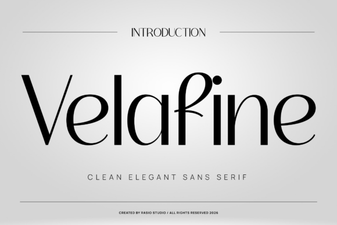 Velafine Font: a Designer's Tool for Elegant Type
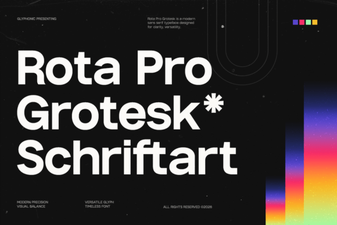 Rota Pro Grotesk: Modern Typography for Creative Projects
 Brelist Font: Elegant Design for Modern Projects
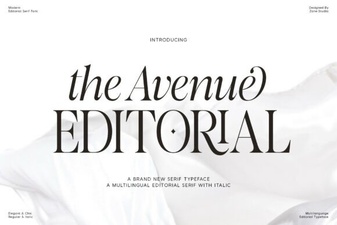 Designing with the Avenue Editorial Font
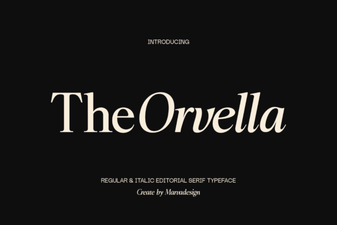 Orvella Font: Creative Designs & Typography Ideas
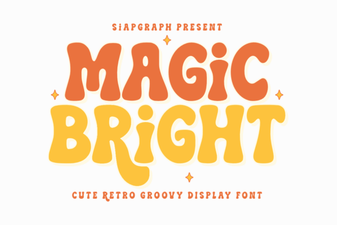 Magic Bright Font: Download & Creative Usage Guide